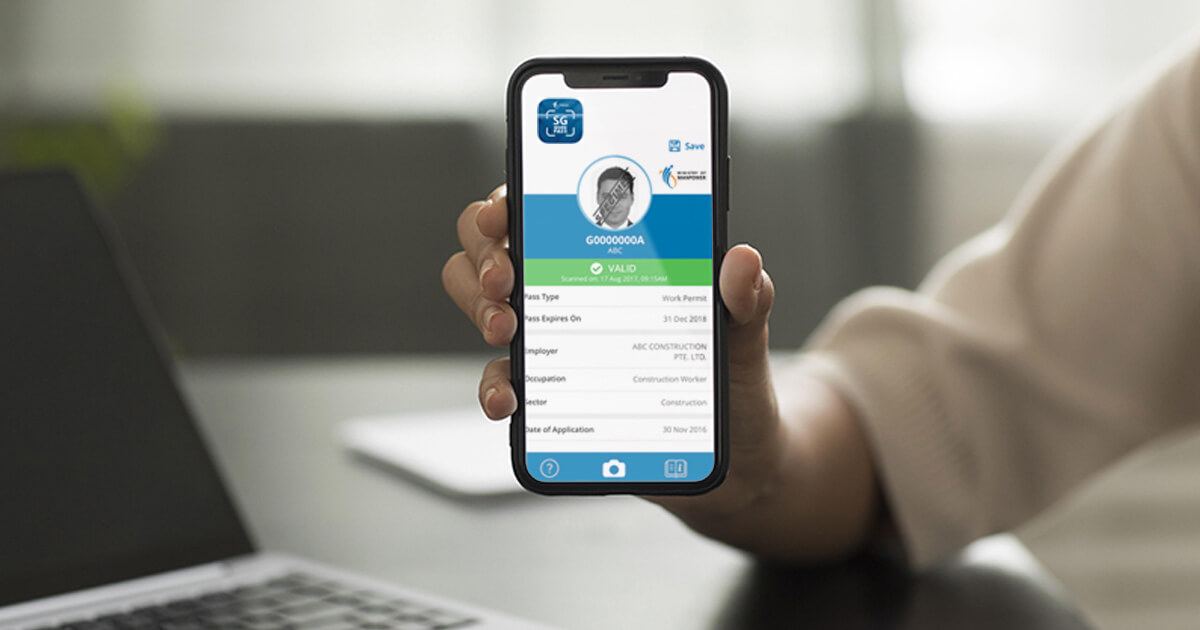
 You can check the status of an S Pass by scanning the QR code on it with the SGWorkPass mobile app. This will allow you to check the most updated status of the S Pass, as well as verify variable information such as date of expiry and occupation.
You can check your S Pass status in Singapore through the Ministry of Manpower’s (MOM) online Check Work Pass and Application Status service or the SGWorkPass mobile app. Both methods allow you to verify the validity of an existing S Pass, while MOM’s online service also lets you check your S Pass application status.
To check your S Pass application status or verify an existing pass:
- Visit MOM’s Check Work Pass and Application Status page.
- Enter your date of birth and Foreign Identification Number (FIN) or passport number.
- Complete the verification and view your application or pass status.
If you already hold an S Pass, you can check its validity using the SGWorkPass app.
- Download the SGWorkPass app on your mobile phone.
- Set up your digital work pass or scan the QR code on your S Pass card.
- View your current pass status, validity period and available pass details.
The app also allows employers and other authorised parties to verify an S Pass by scanning the QR code on the physical or digital pass.
Note: If you cannot retrieve your application status using your passport number, contact your employer or employment agent for your FIN.